Premium rates for Travel Insurance are based on the duration of the trip. We count from the departure date up to the arrival date in Manila.
Here is a step-by-step procedure on how to compute for the total no. of days using Excel which is proven to be more accurate than manually counting the days using a calendar. The same application can be used in general for whatever purpose it may serve:
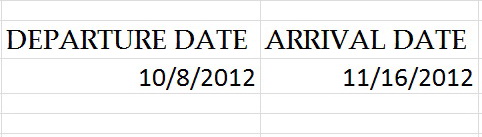
1. Type in the Departure date on the 1st column.

2. Type in the Arrival date on the 2nd column.
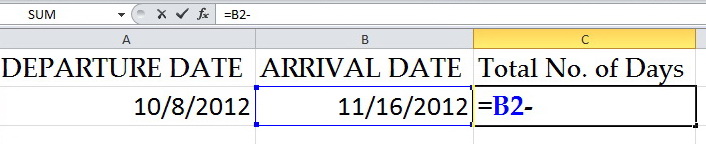
3. On the 3rd column (total no. of days), type in the equal sign and go to the 2nd column (arrival date) and type in the minus sign.
4. Go to the 1st column.
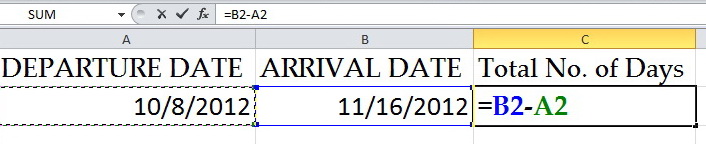
5. Enclose in bracket the 1st column and the 2nd column.

6. Type in the plus sign and “1”.
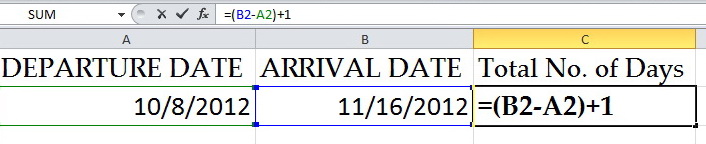
7. Press Enter. You get the exact result (Total no. of days).
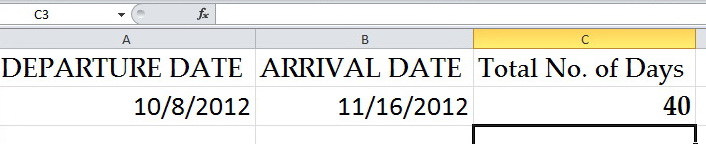
 iamronniereyes.com
Leave a comment